Dashboard
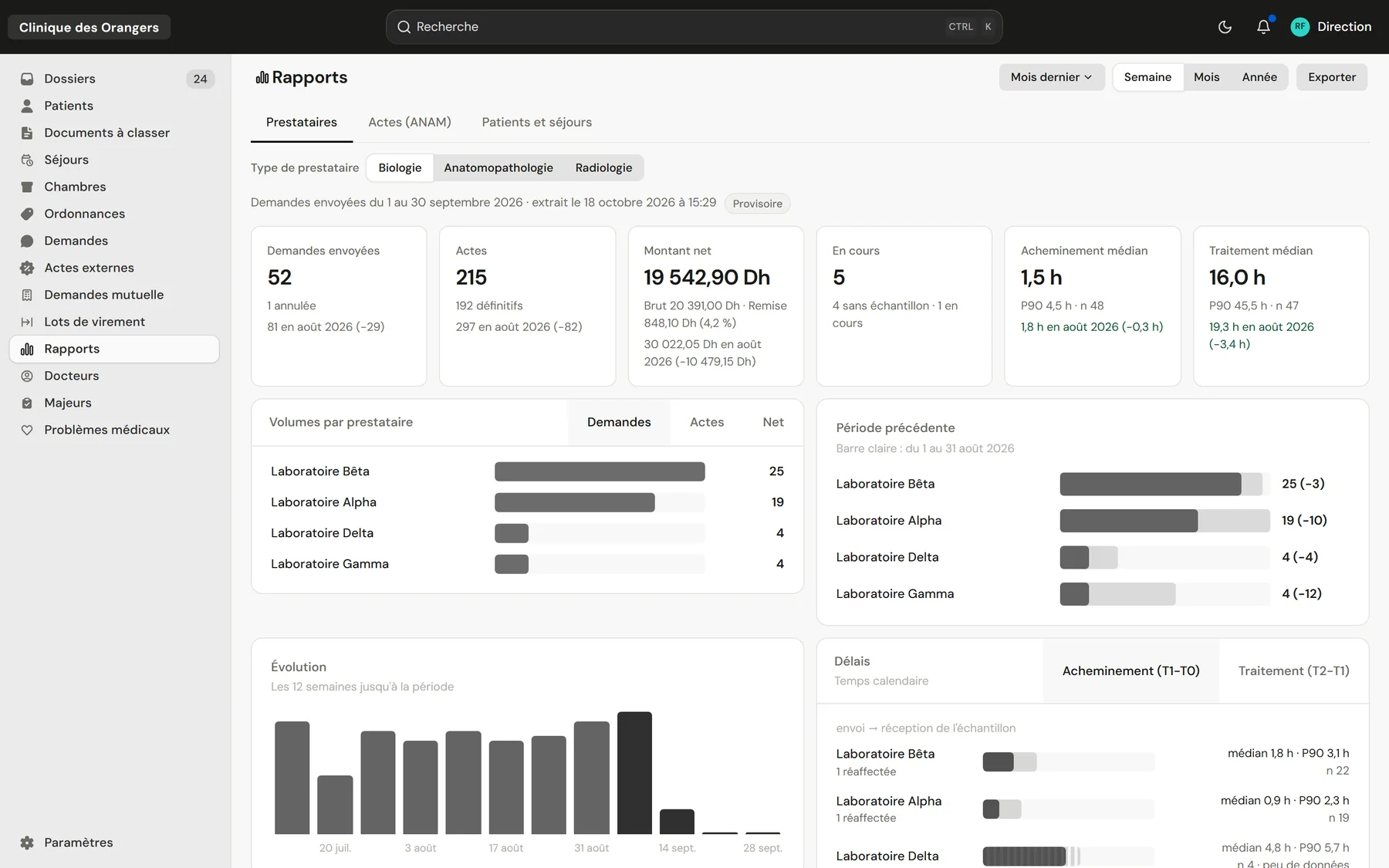
Management sees everything in figures Volumes, net amounts and turnaround, compared to the previous period.
Who it's for
Private clinicsFront desk, care and billing on one fileClinic groupsEach facility, or all of them togetherLabs and imagingA portal to receive and return testsThe labs' portal
Your labs and imaging centres receive orders, scan samples and upload results in the same system.
See the portalClinicareOS connects the clinic's front desk, care, external tests, billing and management. Each team opens the same patient file and sees what its work needs, on a computer, tablet or phone.
At the front desk, both sides of the national ID card are photographed with a phone or scanned. The record fills itself in, both sides are kept with the patient, and a returning patient is found with their whole history at the clinic.
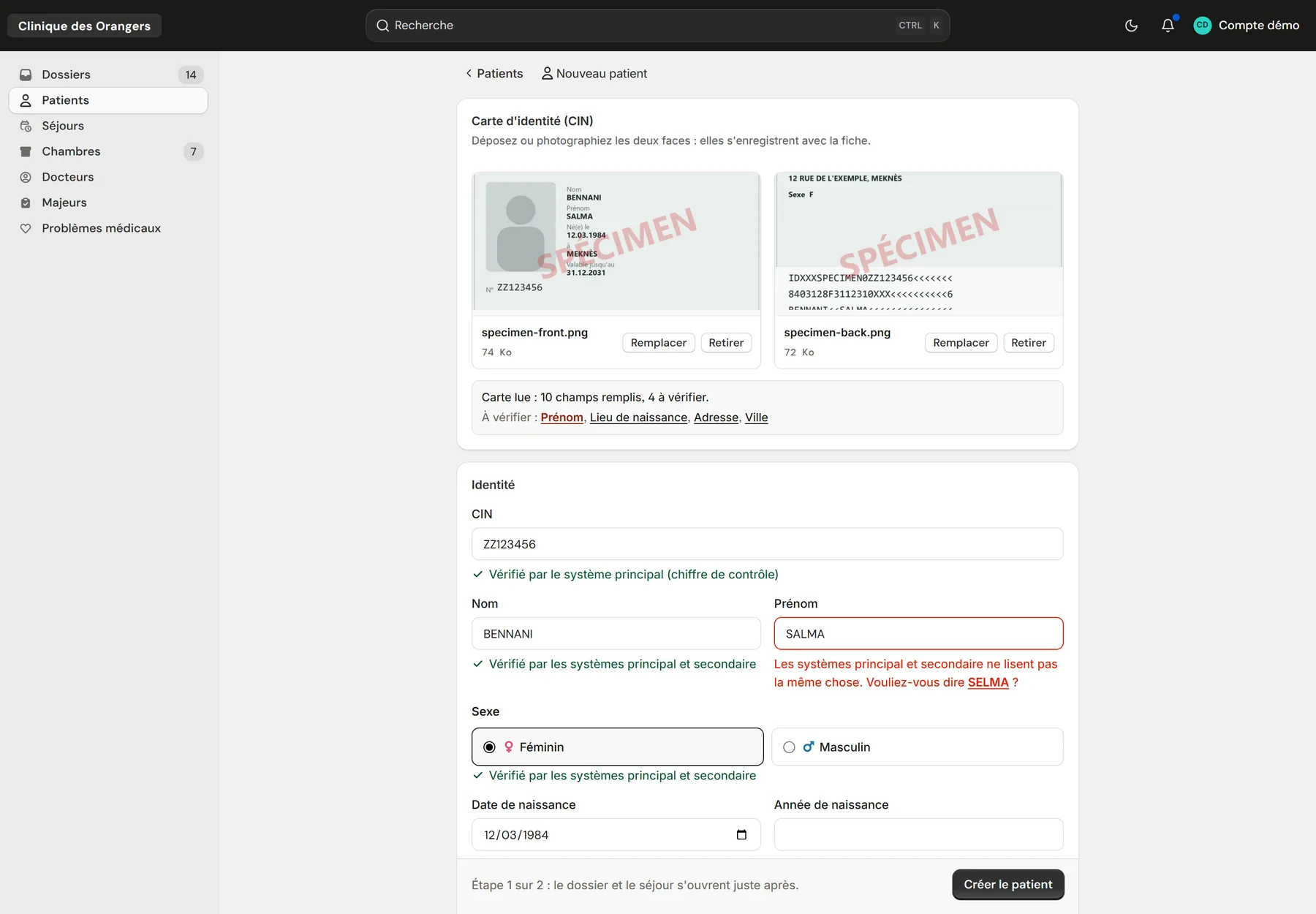
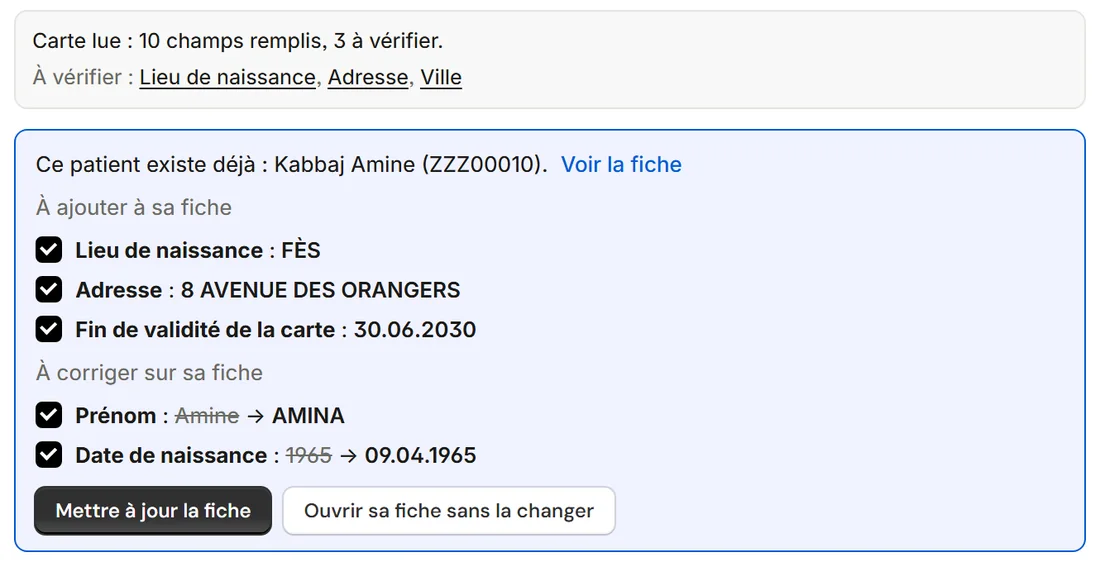
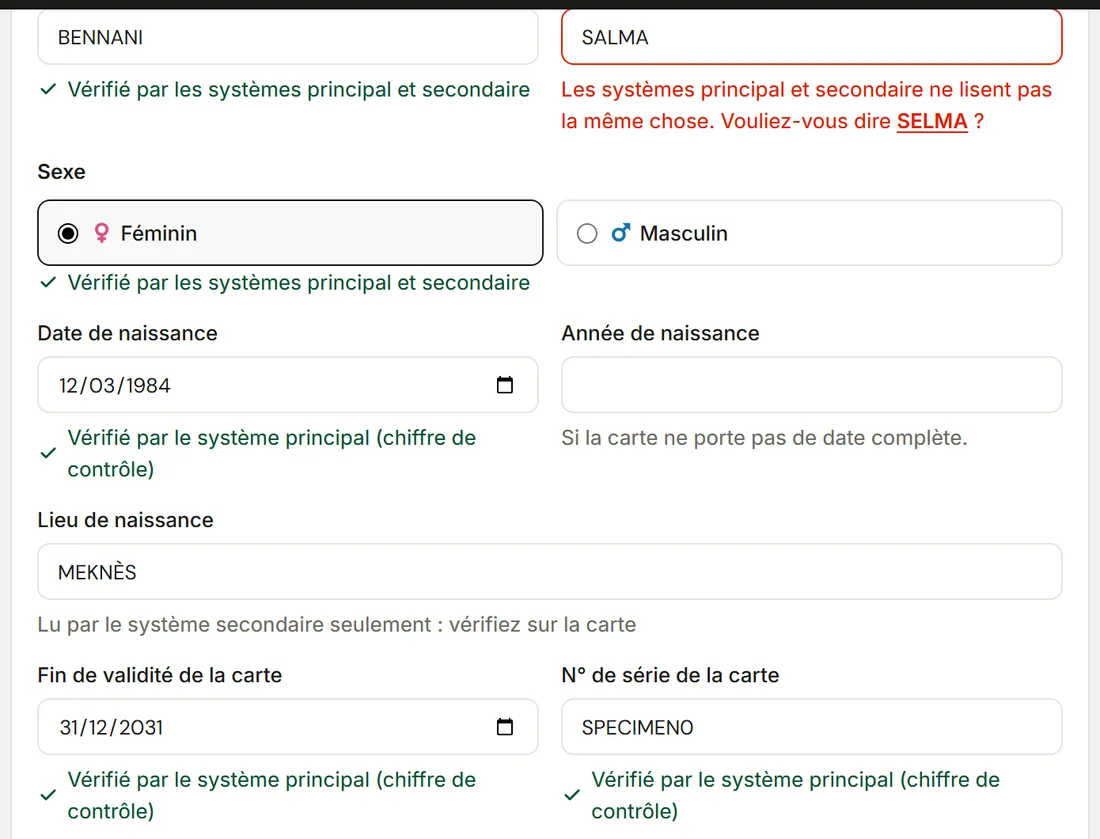
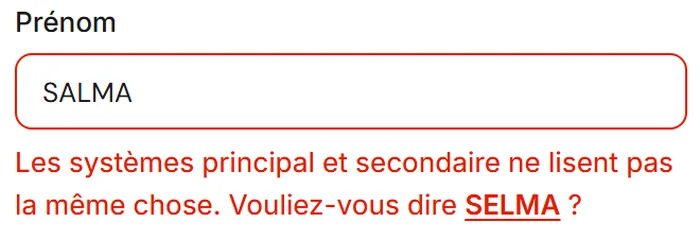
The primary system reads the MRZ strip on the back of the card and checks it against its check digits. The secondary system, an AI reading, reads the front and the back. Each field shows its verdict; when the two readings differ, the field is flagged and the other reading offered in one click. The ID number, the name and the birth date go out right to the CNSS and the insurers.
The file label carries a QR code, the test order the barcode of its number, the documents' cover sheet its QR code. A scan with a phone or a handheld scanner opens the right file. At the lab, scanning the order marks the sample's arrival and its time.
Management sees everything in figures Volumes, net amounts and turnaround, compared to the previous period.
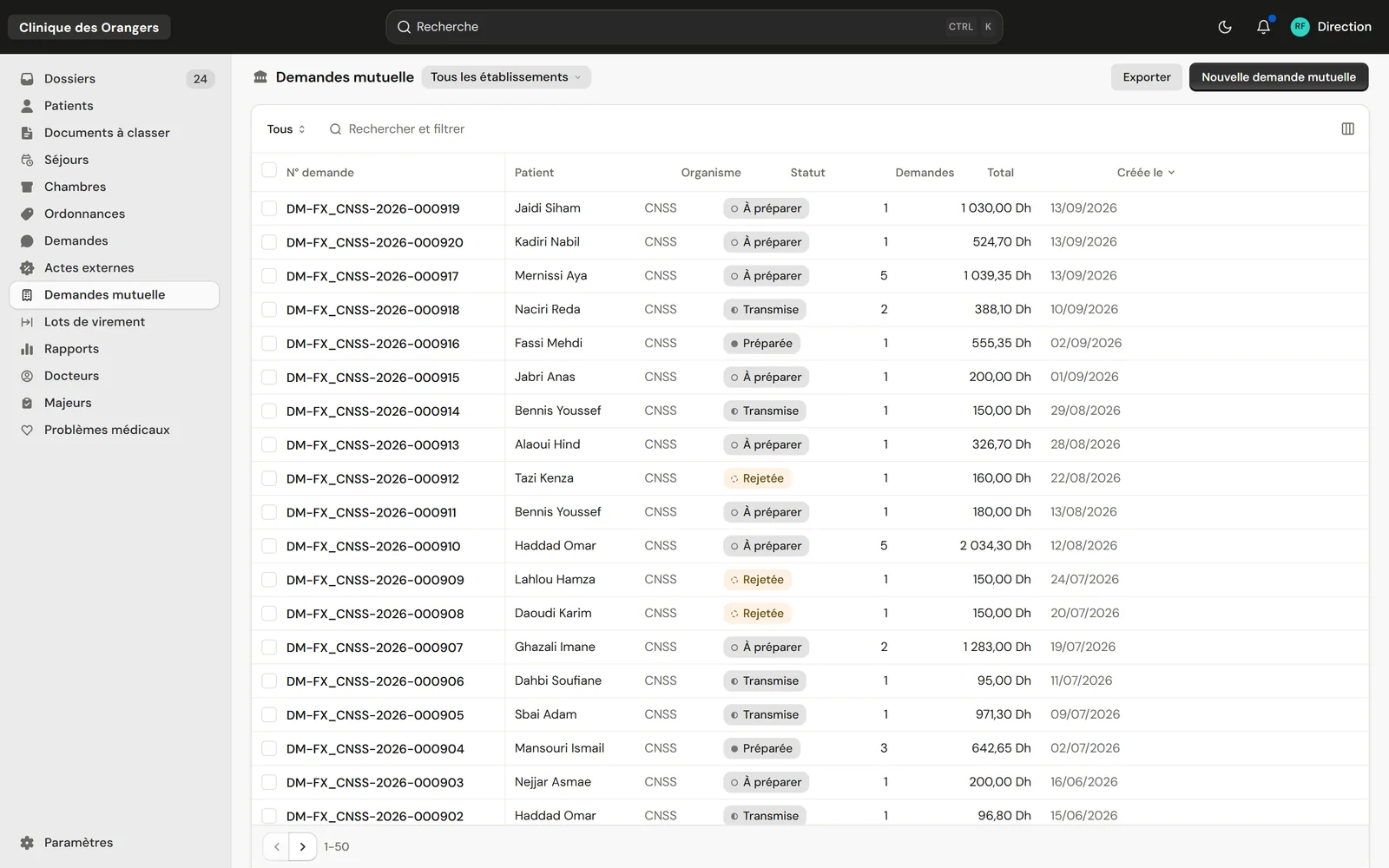
Every dirham owed is accounted for Dated prices, discounts, payment batches and vouchers per provider.
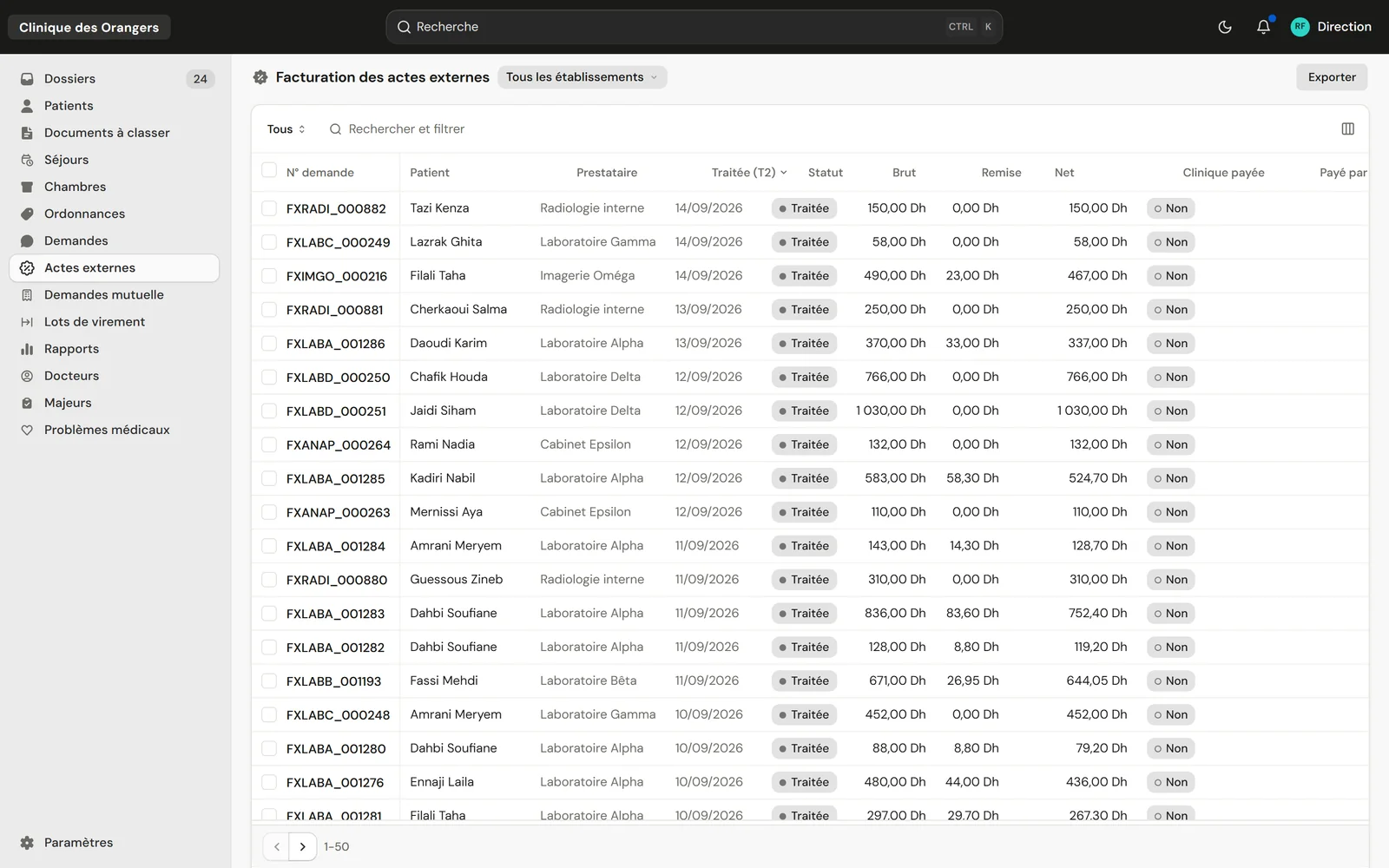
Every claim followed through to payment Prepared, sent, closed or rejected, with its PDF.
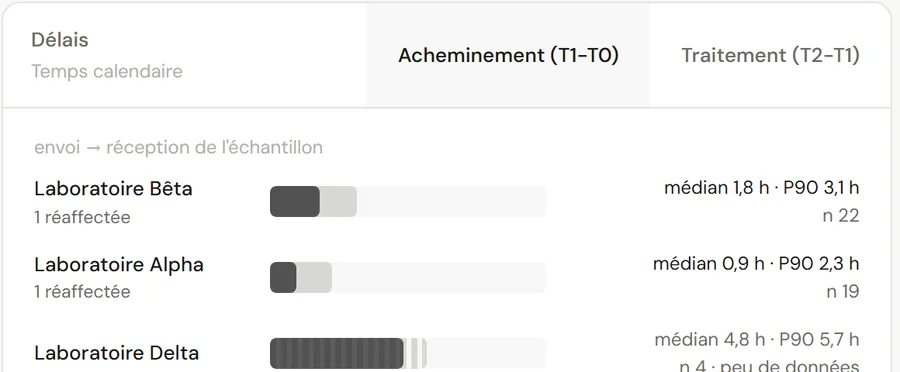
Each lab's turnaround measured As median and P90, from dispatch to sample received, then to the result.
The clinic's pharmacy is the next step Stock, dispensing, and every product on the patient's invoice.
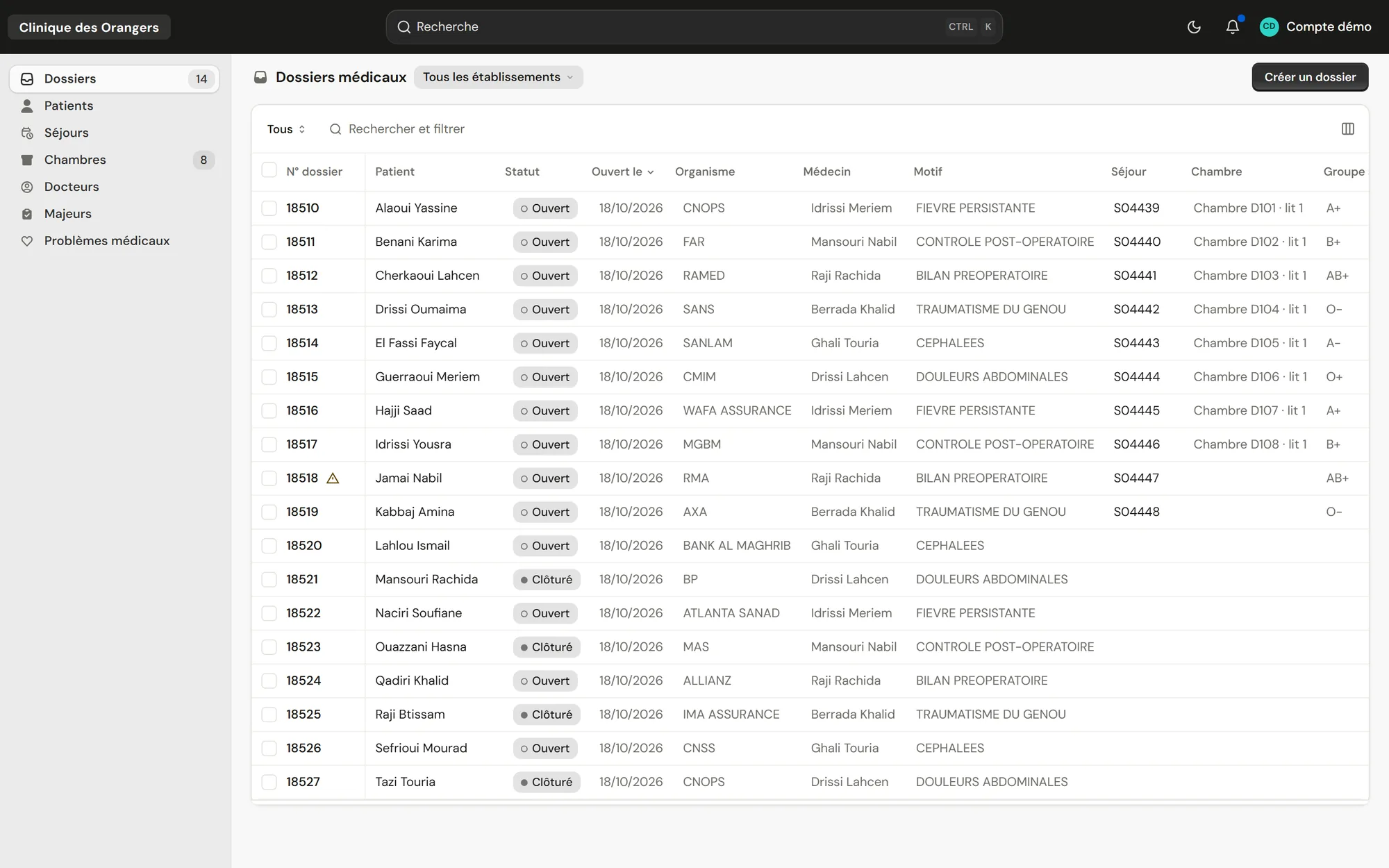
One page to admit The card read, the patient found or created, then the file and its label.
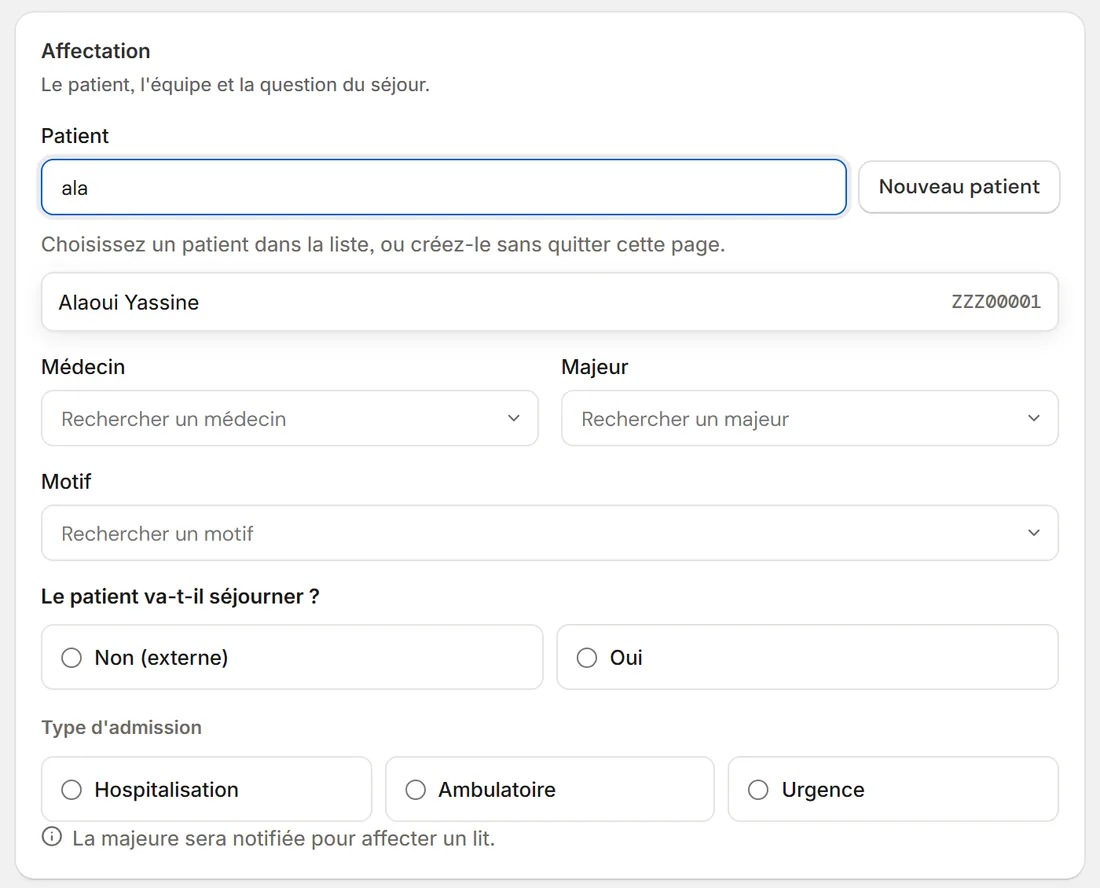
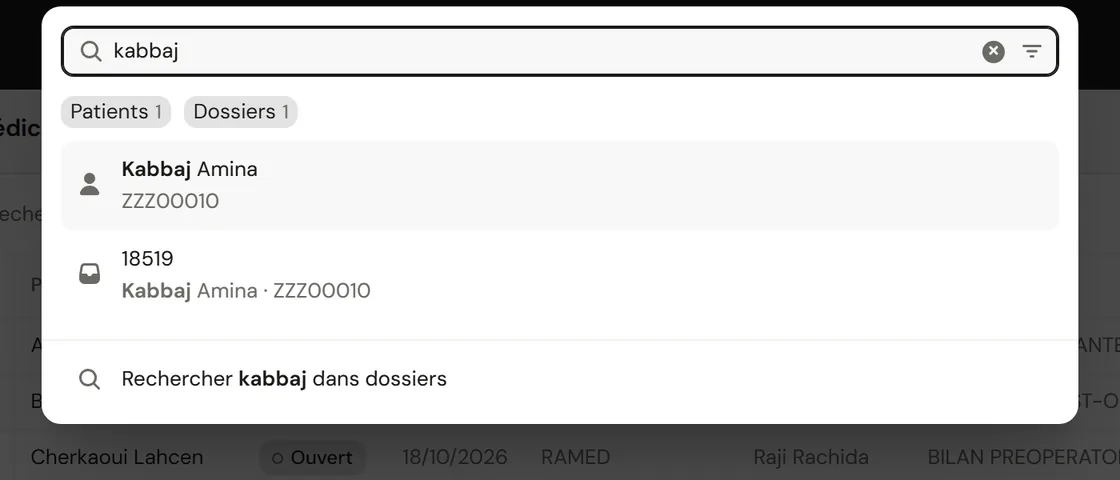
A forgiving search Mohamed, Mohammed and M'hamed lead to the same patient.
The order goes to the lab The result comes back into the patient's file.
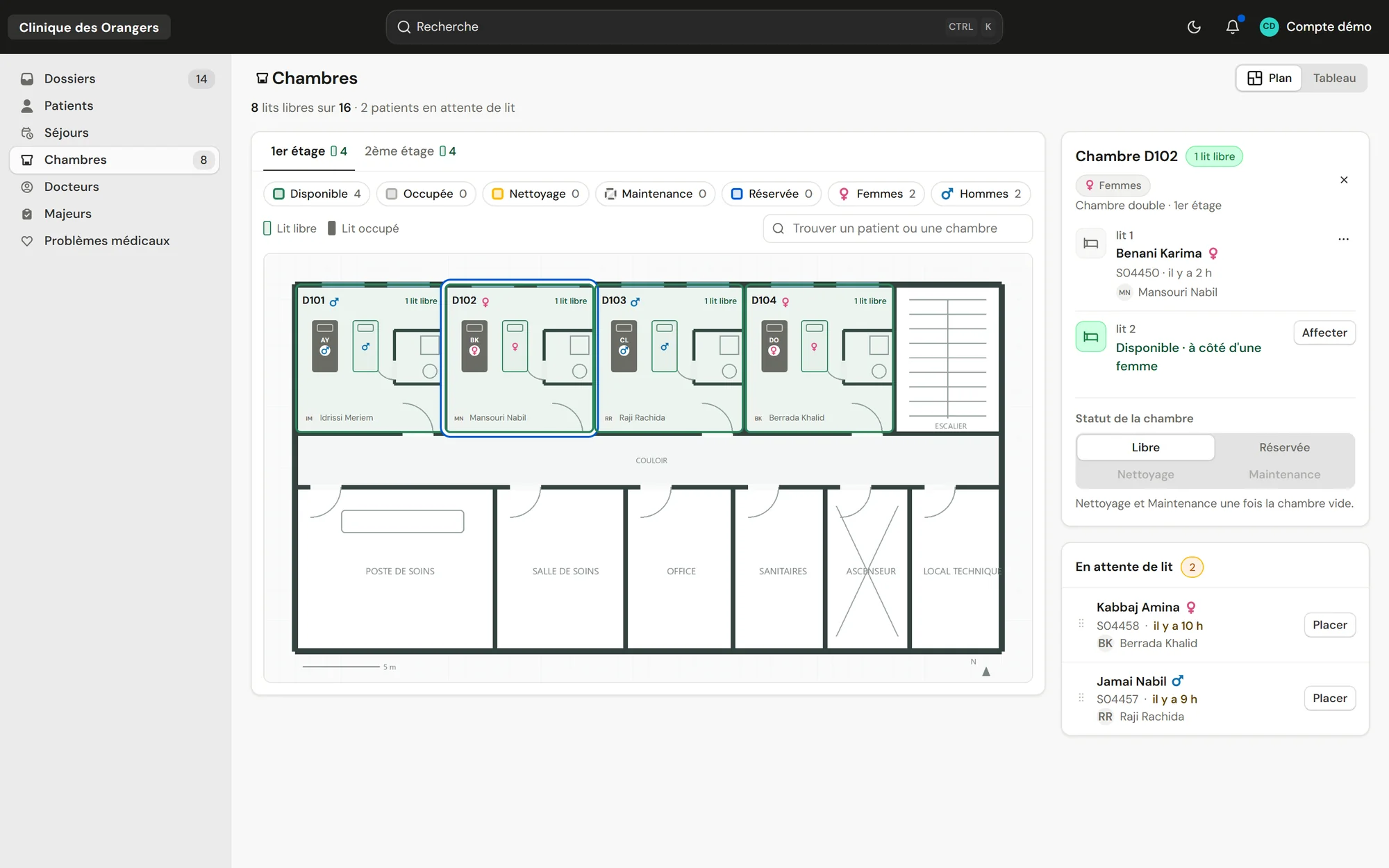
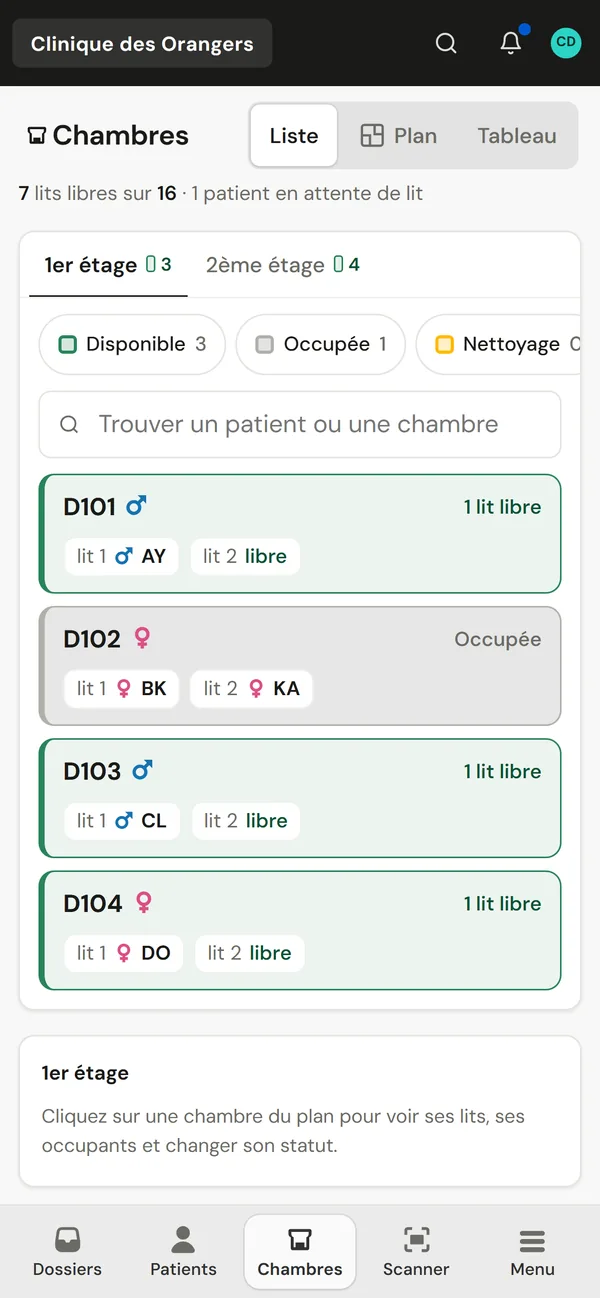
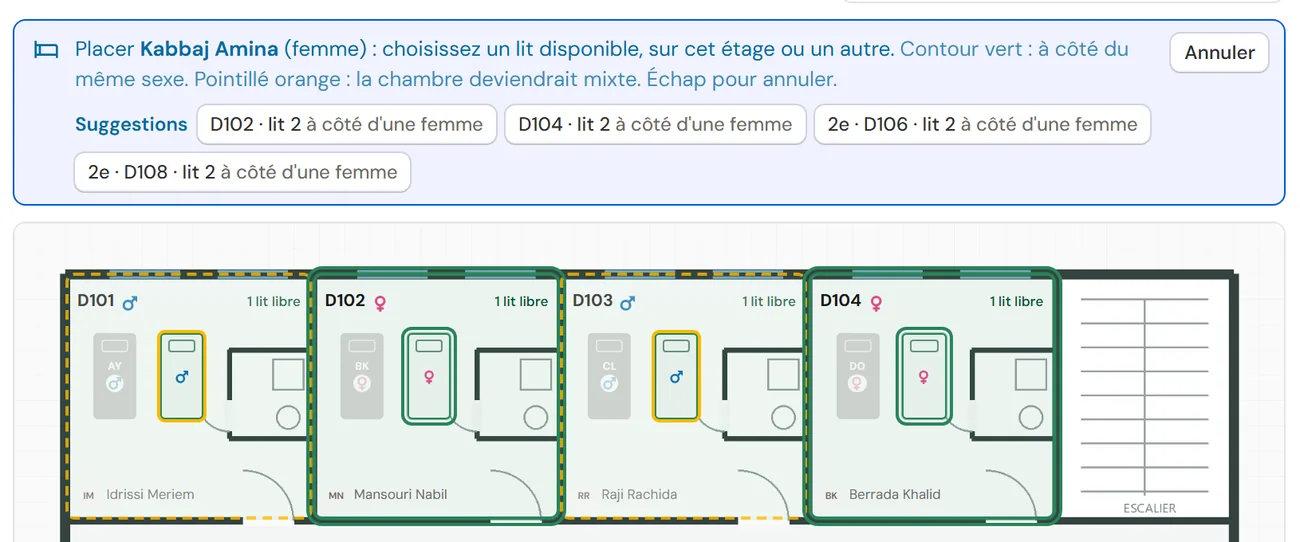
The bed plan floor by floor When you place a patient, the suitable beds light up according to the sex of the roommate.
A cover sheet per document Its QR code files the scan in the right patient file.
A scan instead of a search The label opens the file, with a phone or a handheld scanner.

Both sides of the ID card in one pass, and old paper files in a single PDF.

The file label prints by itself, as soon as the file is created.

Scanning the label or the order opens the right page, over USB or Bluetooth.

Orders, cover sheets and claims print in A4.
Another scanner, another printer, a badge reader: we integrate it to measure.
It is the software that connects a healthcare facility's departments: front desk, care, tests, billing and management. ClinicareOS is an HIS built for private clinics and clinic groups.
Practice software follows one doctor's consultations. An HIS connects every department of a facility: front desk, rooms, tests, billing and management.
No. ClinicareOS opens in the browser and installs as an app on phones and tablets. Only the front-desk computer with a scanner gets a small program.
Yes. We import your patients and files from your spreadsheets or your former software, after spotting duplicate ID numbers and incomplete dates.