The order
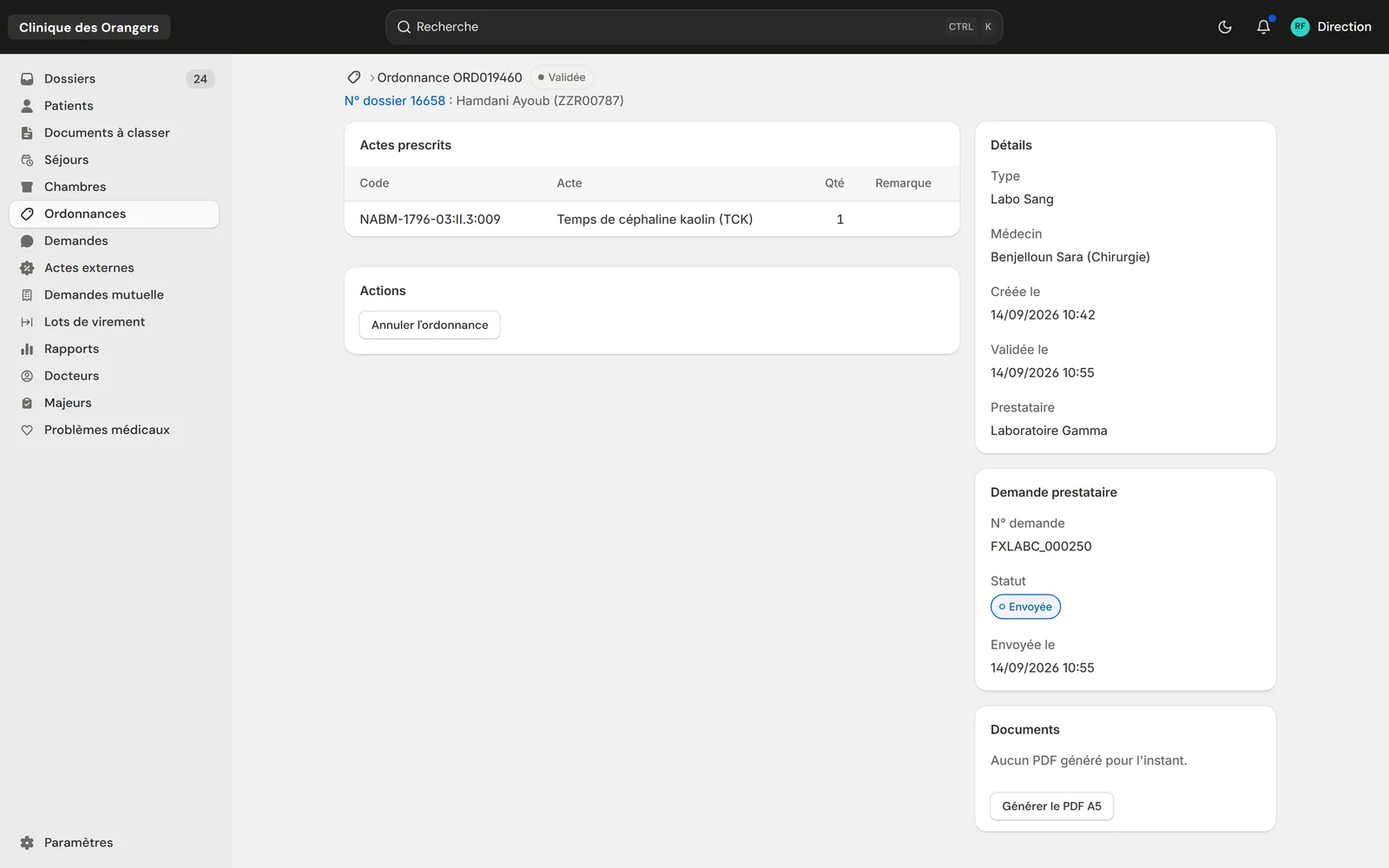
The prescribed acts with their codes, the doctor, the provider, and the A5 PDF to print with its barcode.
Who it's for
Private clinicsFront desk, care and billing on one fileClinic groupsEach facility, or all of them togetherLabs and imagingA portal to receive and return testsThe labs' portal
Your labs and imaging centres receive orders, scan samples and upload results in the same system.
See the portalThe validated order goes to the chosen lab or imaging centre. The lab scans its barcode when the sample arrives, takes the patient in, then uploads the result, which joins the file.
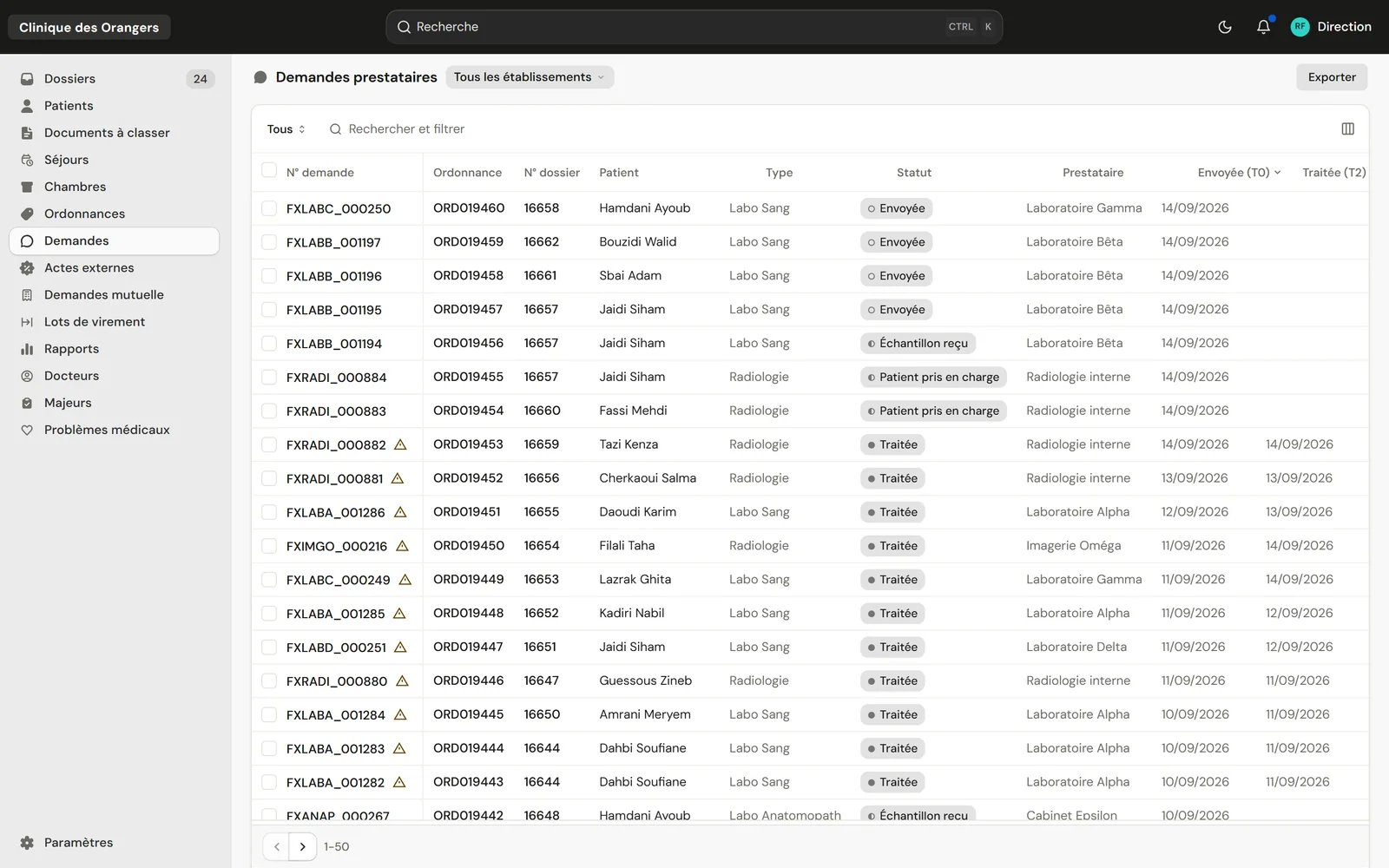
Provider requests of a made-up clinic: status, provider, sent and done dates.
The doctor prescribes; the A5 order prints with the barcode of its number.
The request goes to the chosen lab or imaging centre. Its dispatch time is kept.
The lab scans the order's barcode; the patient's identity becomes visible to it.
The lab confirms it has taken the patient in, from its portal.
The result is uploaded and joins the patient's file.
The prescribed acts with their codes, the doctor, the provider, and the A5 PDF to print with its barcode.
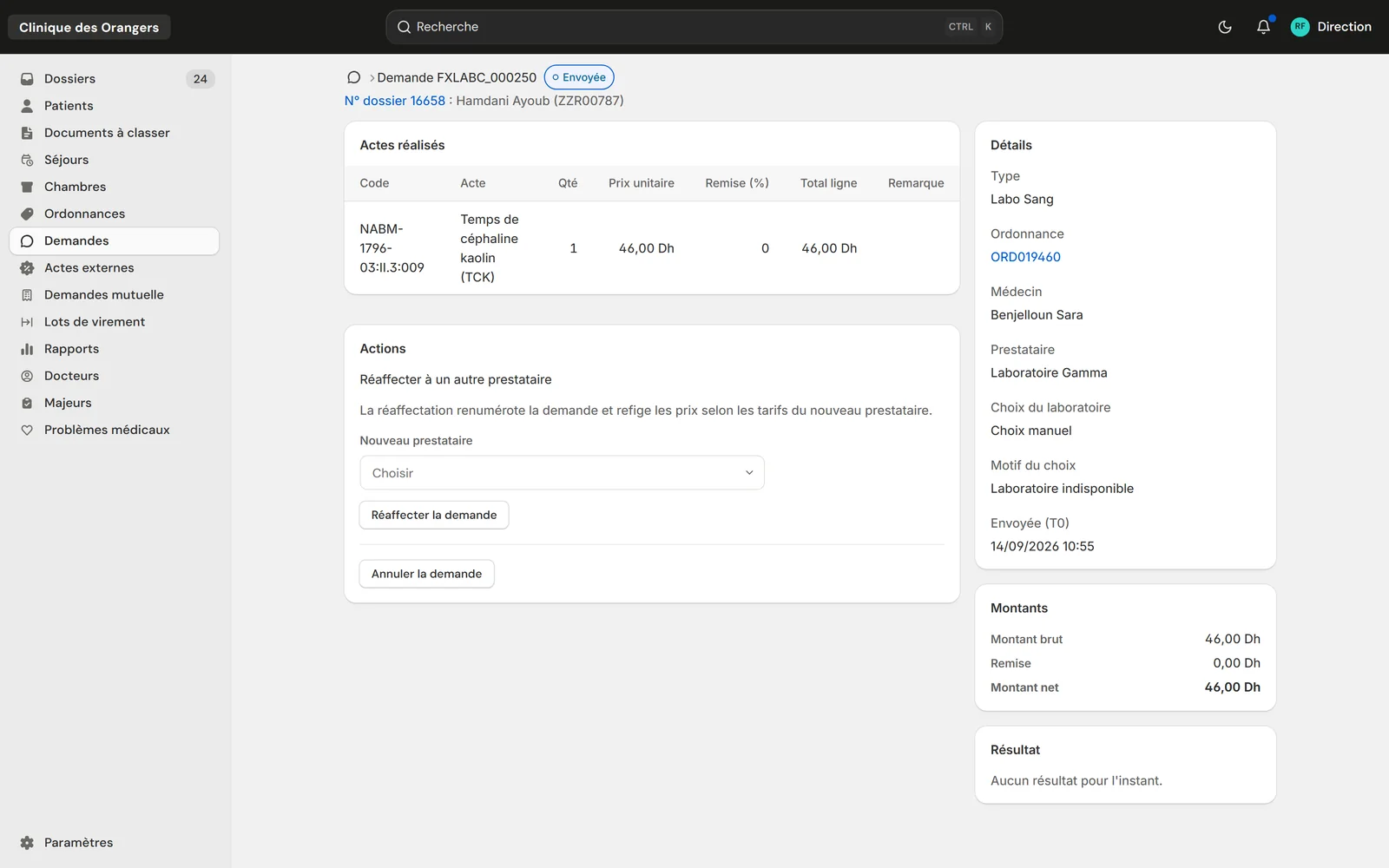
Its acts at the provider's price, its discount, its net amount, and reassignment in one choice.
Dispatch, sample receipt, result: each step keeps its time and feeds the turnaround figures.
Before the sample is scanned, the lab sees the number, the status and the dates. Neither the patient's name nor the tests.
The request gets a new number and its prices follow the new provider's tariff.
The lab proposes a new price; management accepts or declines each line.
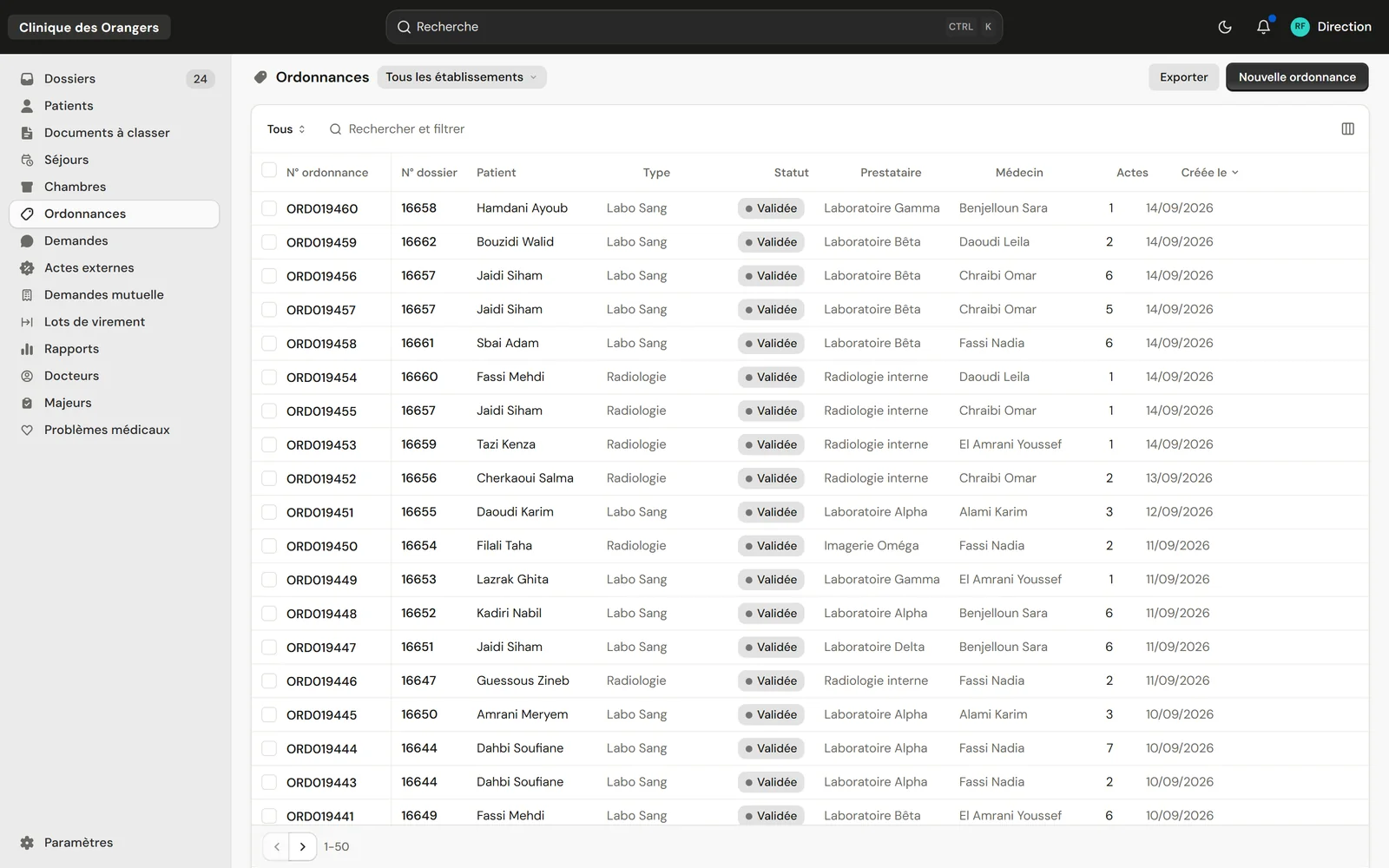
Patient, type, status, provider and doctor, in a list you can filter and export.
No. It only sees its own requests, and the patient's name only after the sample arrives.
The patient's usual lab, the lab of the period, or a manual choice with its reason. Reports count each way.
No. The portal opens in the browser, on a computer or a phone.