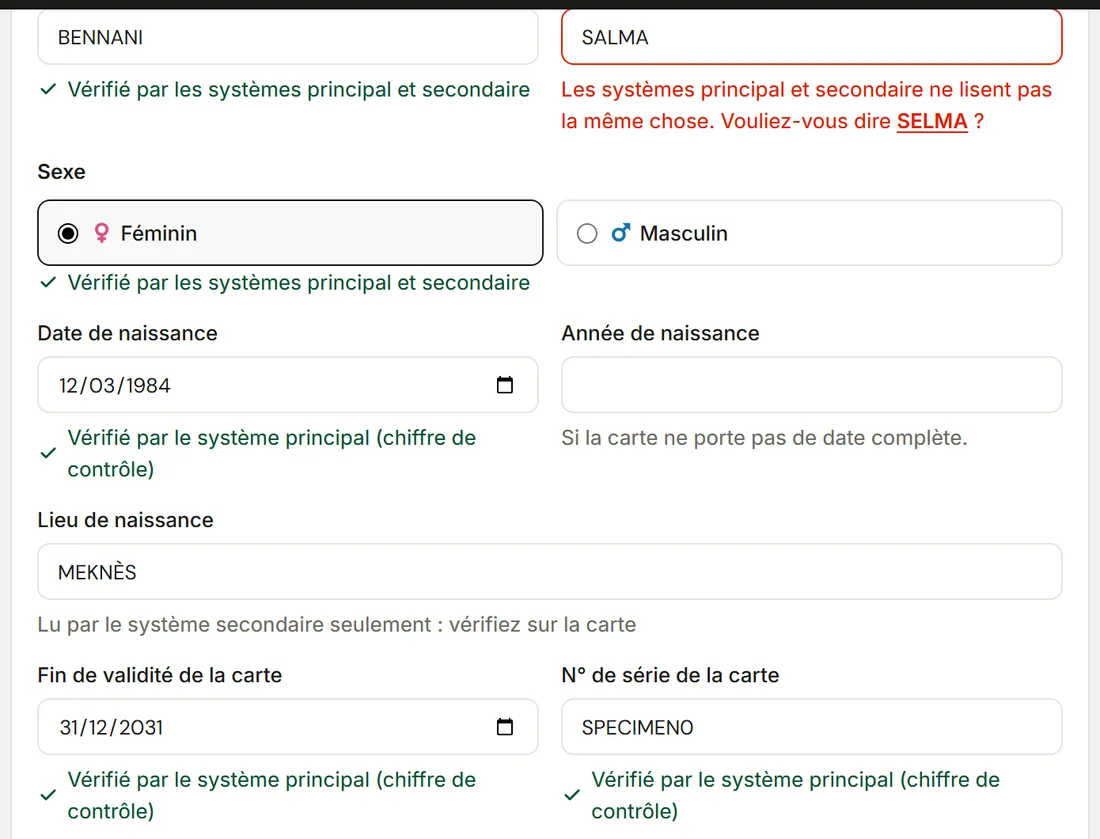
Each field's verdict
Checked by both systems, checked by the check digit, or read by the secondary system only: the verdict shows under each field.
Who it's for
Private clinicsFront desk, care and billing on one fileClinic groupsEach facility, or all of them togetherLabs and imagingA portal to receive and return testsThe labs' portal
Your labs and imaging centres receive orders, scan samples and upload results in the same system.
See the portalAt the front desk, both sides of the national ID card are dropped in, photographed or scanned. ClinicareOS fills in the record, attaches the sides to the patient and checks every field. A returning patient is found with their files; a new patient is created, and their file and stay open right after.
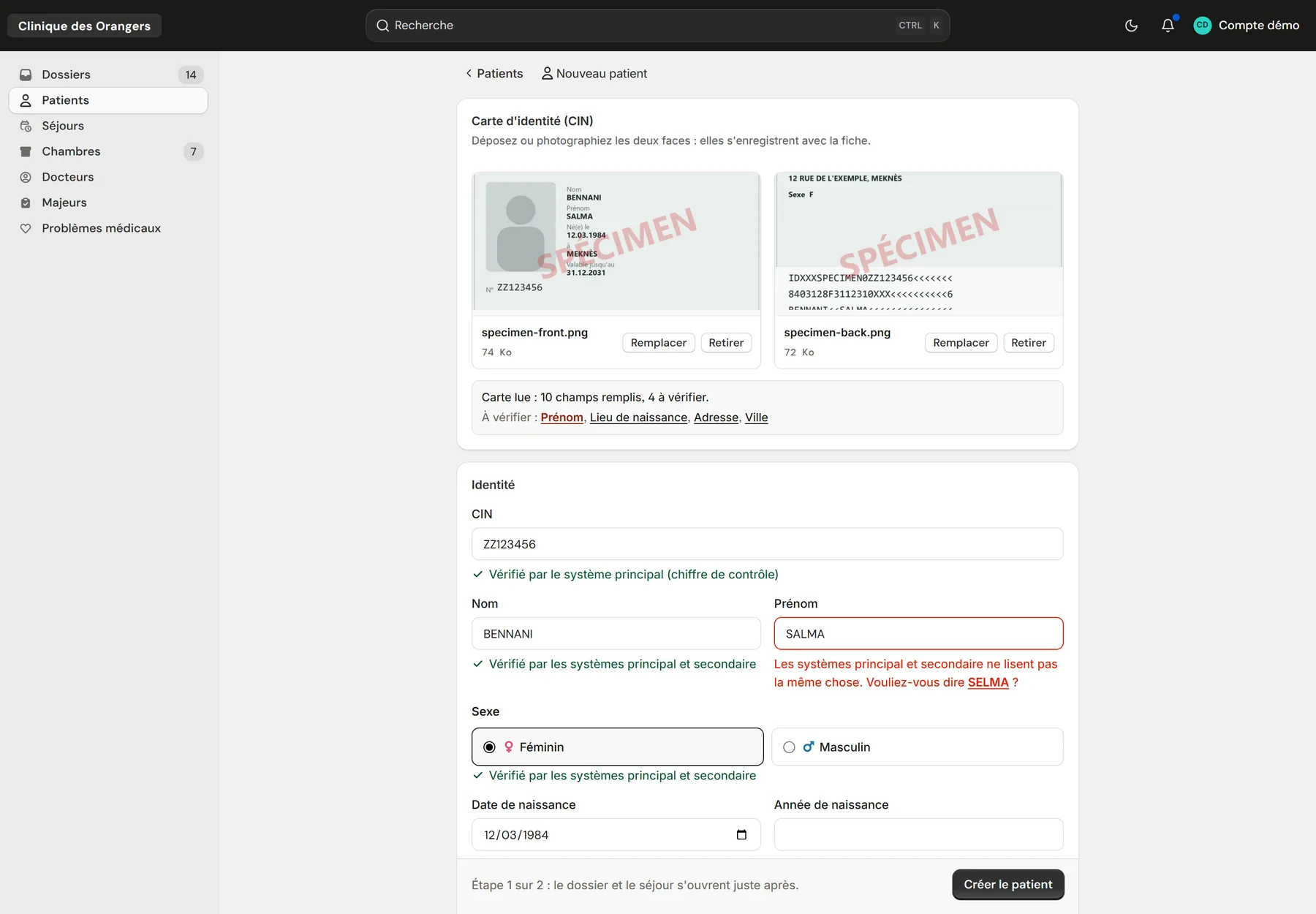
The “New patient” page after reading a SPECIMEN card, on the demo clinic.
Checked by both systems, checked by the check digit, or read by the secondary system only: the verdict shows under each field.
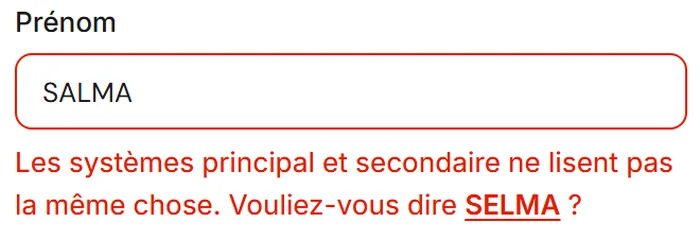
The field turns red and offers the other reading in one click. The typo never reaches the CNSS or the insurer.
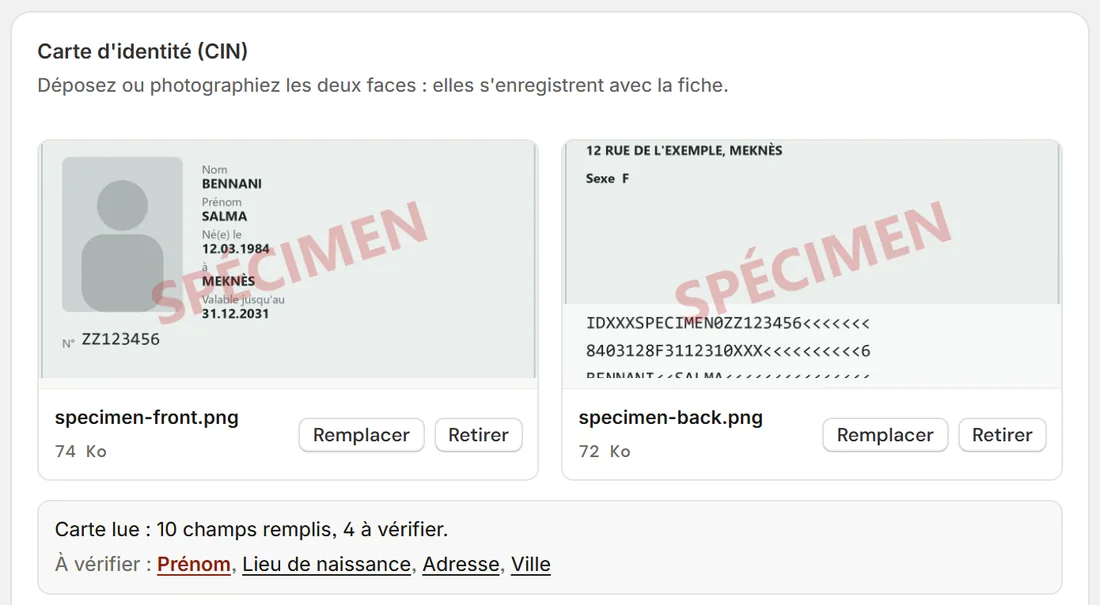
“Card read: 10 fields filled, 4 to check.” Each field to check links to its place in the record.
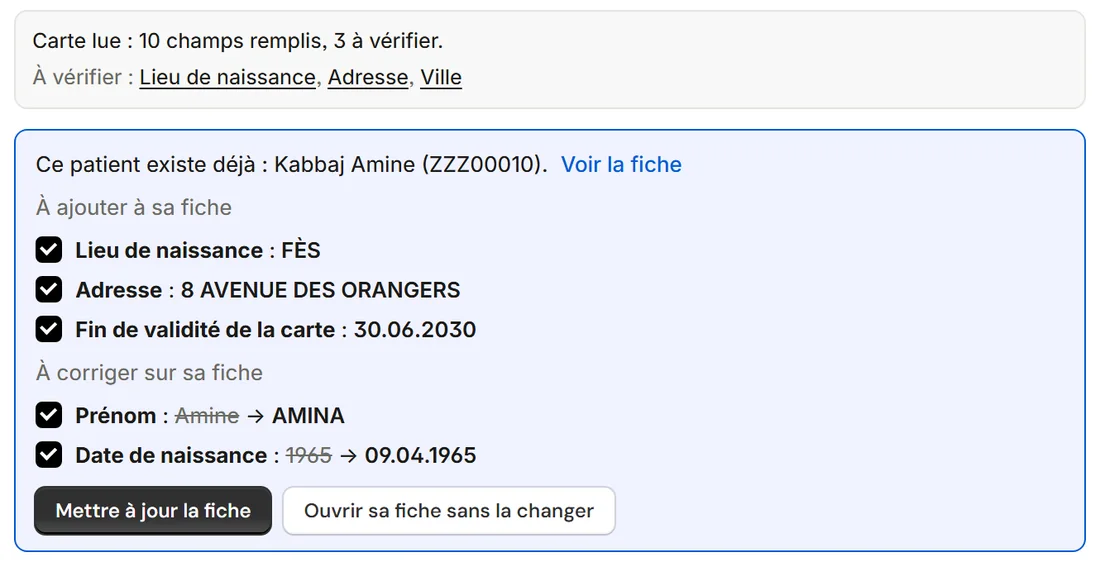
The ID number finds the existing record. The card lists what it adds and what it corrects, and “Update the record” applies it all, with each field's history.
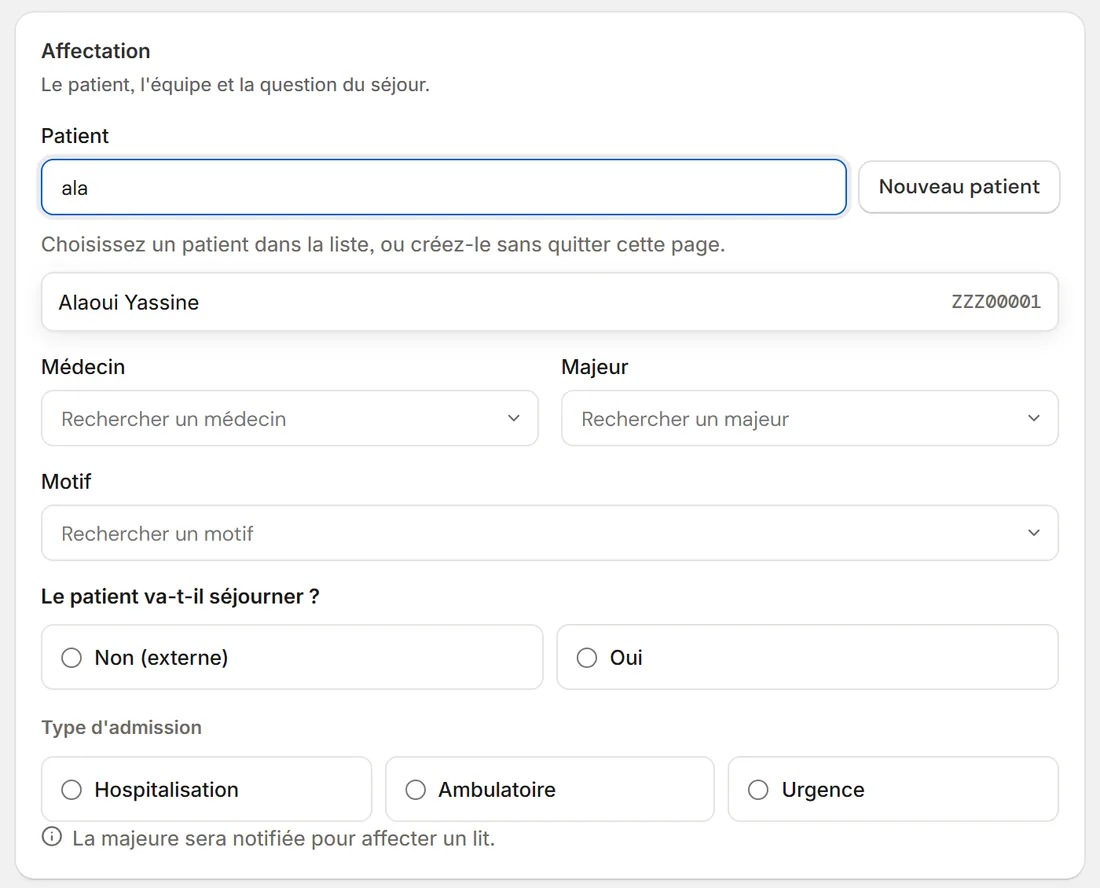
Doctor, head nurse, reason, admission type and insurer. For a hospital stay, the head nurse is notified to assign a bed.
It prints from the file and carries a QR code: a scan with a phone or a handheld scanner opens the file.
Each order carries the barcode of its number, which the lab scans when the sample arrives.
| Situation | What ClinicareOS does |
|---|---|
| Readable MRZ strip | A value is only confirmed when its check digits pass. |
| The two readings differ | The field is flagged and the other reading offered. |
| Card without an MRZ strip | The secondary system reads it alone, and every field is to be checked. |
| Field typed by hand | Never overwritten by a reading. |
| Expired card | Flagged in red, with a sound; registration stays possible. |
| Returning patient | Found by ID number, or by exact name when the birth year doesn't contradict it. |
No. A phone is enough to photograph both sides. The front-desk scanner can also send them in one go.
Typing by hand is always possible, and the record saves as usual.
Yes, with the patient's record. Every opening of an ID card photo is logged.